Establish relationships on Microsoft 365 Tenant
If you're purchasing a Microsoft 365 subscription from us, there are instances where we may need to establish a new relationship with your existing Microsoft 365 tenant (if you have one already), so that we can provision these products and services accordingly. If you don't have an existing Microsoft 365 tenant already, one will be created on your behalf, and that any new tenants that are created are not shared with others.
Tenant Confirmation
When you make a purchase from us, we'll initially send an email to get a few details so that we can setup services. During this process we'll also ask you to confirm if you already have a Microsoft 365 tenant as this will determine how we go about setting up new services.
| check_circle I have an existing Microsoft 365 tenant | warning I don't have an existing Microsoft 365 tenant |
|---|---|
| We'll look to establish a relationship between your existing tenant and ours. We will send an invitation link to Microsoft 365 Admin Centre to process this, and will outline the limited GDAP permissions we'll need in order for us to apply/manage new services on the account. You'll need suitable permissions to carry this out. | This is no problem. Should that be the case a new Microsoft 365 tenant will be created with the necessary permissions established and new services applied accordingly. Once the new tenant is up and running the details are provided by email, and as this isn't a shared tenant it will only be accessible to you/your teams. |
Accepting the relationship on Microsoft 365 Admin Centre
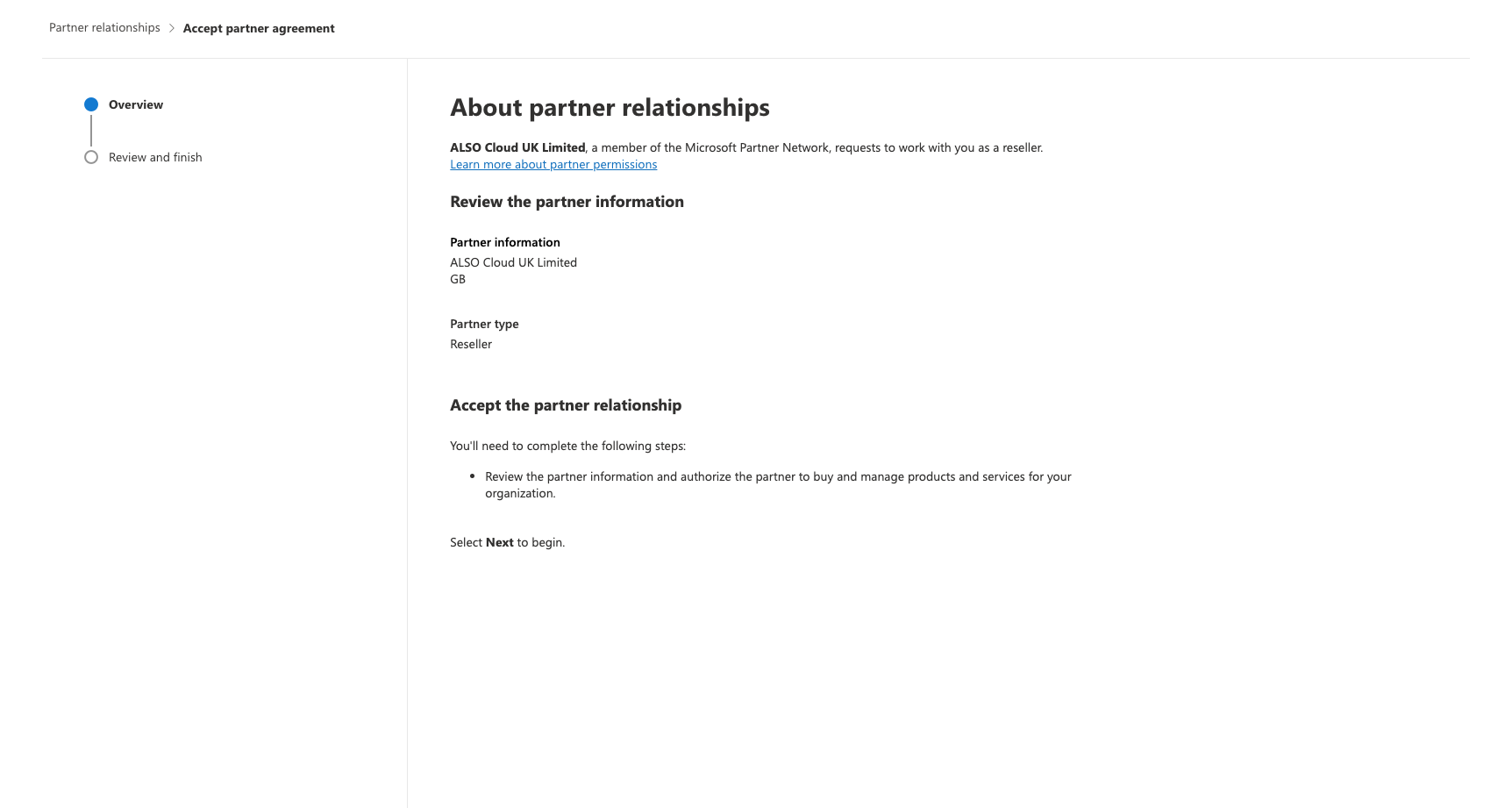
If we've asked you to confirm the relationship between tenants, once we send the invitation link you'll be redirected to Microsoft 365 Admin Centre to confirm this. You'll see similar to the below - it's important you read through carefully, and then accept the agreement. Due to the way relationships are now formed, you'll see the name of our distributor.
Requesting additional GDAP Permissions on Microsoft 365 Admin Centre
Due to recent changes once the above has been completed we will require additional permissions to provision your services. Like the above, you'll be in receipt of an additional email with an invitation link, redirecting to Microsoft 365 Admin Centre to confirm this. Again we ask that you should read through carefully, and accept the permissions. GDAP permissions requests will be limited to certain functionality and have a limited duration - normally 730 days.